
Muskets & Magic Controls
Remap in the main menu, then learn fire, reload, melee, Mage dash, and Sapper builds.
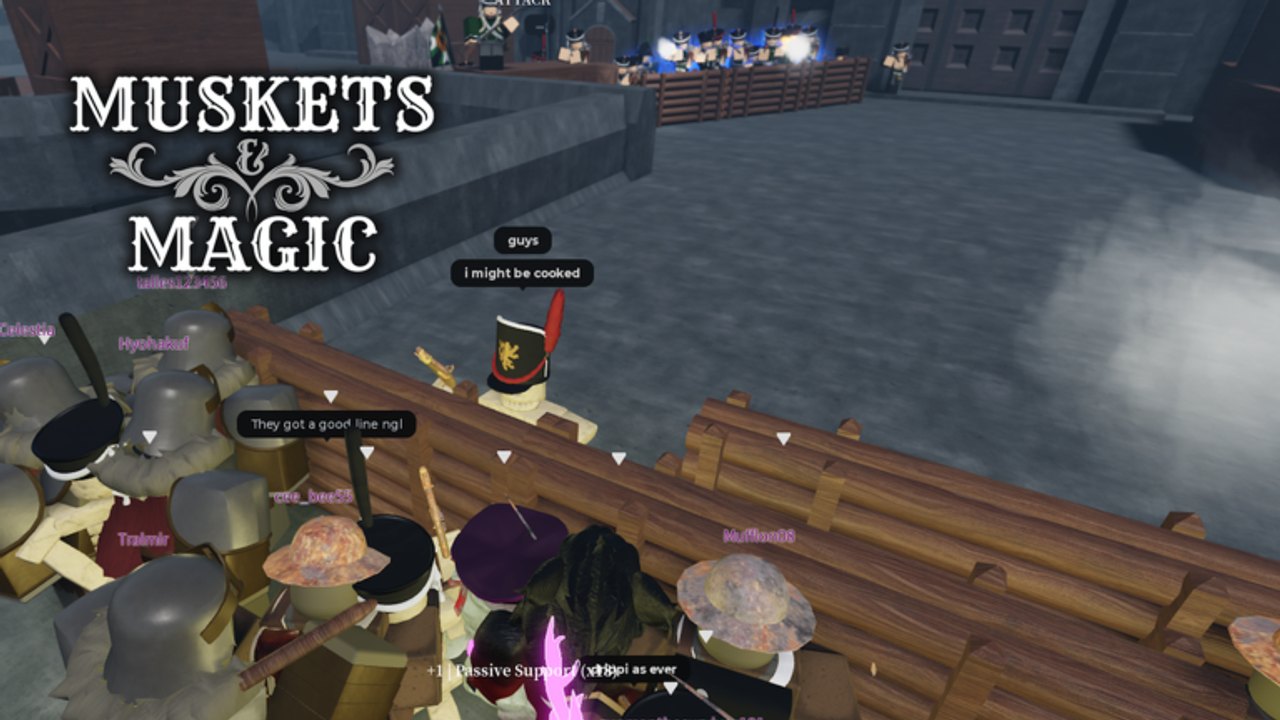
Muskets & Magic officially supports PC, mobile, and console. The same eight classes and four factions run on all three. What changes is the input layer. Nanoplex Studio put keybinds and touch controls in the main menu settings, and they are remappable. Do that before you judge a class. A Rifleman with fire bound under a movement thumb is not a bad class; it is a settings problem.
This page is the input sheet, not a full class guide. After you can move without fighting the HUD, go back to Getting Started for the first-hour loop, or jump into Melee Combat, How to Play Mage, and Sapper Building for the roles that add extra inputs.
Remap first, fight second
Open settings from the main menu, not mid-round if you can avoid it. Early access still moves UI, but the rule stays: look at fire, reload, melee, block, dash, and build before you spawn. On mobile, separate fire from look and reload from jump. On console, confirm which face button is melee versus reload; musket games punish a mixed bind more than a slightly slower stick.
There is no public, frozen official key list outside the in-game menu. Treat every named key on this page as a known playtest default, then confirm it in your own settings. If a patch relabels a bind, the menu wins.
PC movement and shooting
Known PC defaults from playtests:
- WASD — move. Strafe while you reload; do not stand still on a ridge.
- Mouse — aim. Hip fire is for panic melee range, not a 80-stud volley.
- Click — fire the musket, rifle, or pistol. One shot, then you live in reload.
- Reload — dedicated input. Start the animation behind cover or in the rank, never after you have already been seen in the open.
Line Infantry and Grenadiers live on that loop. Riflemen do the same with a rifle that wants a flank, not a parade ground. Officers fire a pistol; the bind is the same click, the mistake is treating it like a musket at line distance. Mages do not get this loop at all. Their glove spends mana, not a powder charge, and they dash with Ctrl instead of winning a bayonet fight.
If you came from Guts & Blackpowder or Blood & Iron, do not assume identical keys. Remap toward whatever your hands already know, then play two rounds without changing anything else. Muscle memory arguments in Discord are usually two people with different menus.
Melee: three inputs and a perfect block
Melee is three main inputs, not a single M1. Playtests and the official melee showcase treat the system as easy to pick up and easy to throw. You attack, you have directional or follow-up inputs, and you block. Some weapons can perfect block. The window is not a panic button you mash after you already swung.
Stamina is the real health bar. When it is empty, spamming the primary melee input leaves you open. Grenadiers have more stamina and HP; they still lose if they empty the bar in a hedge and keep clicking. Sitari Linemen, Heavies, and Knights are built around this layer. Ignia and Zemliya only visit it when the volley fails or a bayonet charge is the plan.
Read Melee Combat for bayonet versus sword versus axe. This page only needs you to put attack, extra melee inputs, and block on keys you can hit without dropping aim. On mouse and keyboard that usually means left click for the gun, a separate melee key or click once the musket is not the active thought, and a block key you can hold. On mobile, block cannot share a button with fire.
Mage dash and why Ctrl matters
Mages replace the stamina bar with mana. They have no guns and no melee. Survival is spacing plus Ctrl dash. Bind dash to something your left hand can hit while the right hand aims the glove. If Ctrl is uncomfortable, remap it in the same settings menu; the mechanic is “dash,” not “must be left control forever.”
Dash is for leaving a Grenadier, not for diving one. Earth Mages (Zemliya) want a rock-sniper perch. Fire Mages (Ignia) want a line in front of them. Light Mages (Sitari) weave beams and heals. Death Mages / Necromancers (Descendants of Death) want corpses and distance. None of them want a fair melee. Full spell notes are on How to Play Mage.
Sapper: two build inputs
Sappers (Sitari Engineer, DoD Trapper) get two build inputs plus the usual move/look/melee kit. The official building showcase is explicit: the system is two inputs, and creativity is in placement, not in a hotbar of twenty pieces. One input places; the other supports the second structure type or confirm/cancel depending on how the current early-access menu labels it. Confirm in settings. What matters in a fight is that you can place and walk without opening a deep menu.
Build sandbags and stakes where your Line Infantry already wants to stand. Firing platforms need a second of safety; do not start a platform in a doorway that is already taking shot. Destruction is part of the same kit: axes exist to delete enemy cover, not to 1v1 a Knight unless you have no other option. Details and map examples are on Sapper Building.
Mobile and console
Mobile is first-class, not a port you suffer. Use the on-screen sticks and buttons, then reposition fire, reload, and melee so your right thumb is not doing all three. Enable whatever aim-assist or look sensitivity the current settings offer, then stop changing it every death. Sensitivity addiction is how you miss a Sitari Heavy at five studs.
Console uses a gamepad. Same remap rule. Confirm shoot, reload, melee, block, and crouch. Mage dash and Sapper place need dedicated buttons; stacking them on the same bumper as fire will get you killed on Wickland stairs.
Staff console (quote key)
Players with Nanoplex command access open the staff console with the quote key ('). That console is for moderation and testing commands (set class, set map, tickets, dummies), not for public players to bind as a combat ability. If you press quote in a public match and nothing happens, you are not staff. Do not waste a fight looking for a hidden admin menu.
Permissions are tied to the Nanoplex Roblox group used for commands, which is not the same thing as joining Nanoplex Studio for the +25% EXP and Crowns boost. Join the Studio group for the boost. Ignore the quote key unless you were actually given testing privileges.
A binds checklist that survives early access
- Remap fire, reload, melee, block, dash, and build in the main menu.
- Play one Line Infantry round without touching settings.
- If you missed shots because of look speed, change sensitivity once.
- If you died in melee with stamina left, you have a timing problem, not a bind problem; go to Melee Combat.
- If you died as Mage next to a Grenadier, you have a dash problem; go to How to Play Mage.
- If you could not place bags before the push, you have a build-input problem; go to Sapper Building.
Controls are finished when you stop thinking about the HUD. Until then, every death that starts with “I hit the wrong button” is a settings ticket, not a class ticket. Fix it in the menu, then go fight the map.
Frequently Asked Questions
Quick answers for Muskets & Magic players.
Can I remap keys and touch controls?
Yes. Official copy lists PC, mobile, and console, and keybinds plus touch controls are remappable in the main menu settings. Do this before you spawn.
What are the known PC defaults?
WASD to move, mouse to aim, click to fire, a dedicated reload, three melee inputs with a perfect-block window on some weapons, Ctrl dash for Mages, and two build inputs for Sappers. Confirm everything in your own menu.
What does the quote key do?
Staff and testers with command access open the console with `'` (quote). Public players do not get admin commands. It is not a combat bind.
Does mobile have the same classes?
Yes. All eight classes and four factions run on mobile. The limit is your touch layout, not a hidden PC-only kit.
Where should I go after I finish remapping?
Return to Getting Started for the first-hour plan, or open Melee Combat and How to Play Mage if those extra inputs still feel wrong.